To add width without phase issues, use phase-coherent stereo widening tools that employ mid/side processing to keep the mono (mid) signal unchanged while expanding the stereo (side). Make small, precise adjustments and monitor your phase correlation with meters to guarantee signals stay in phase. Avoid over-panning and always listen carefully to prevent cancellations or hollow sounds. Continuing to explore these techniques will help you achieve a spacious, clear mix with maintained signal integrity.
Key Takeaways
- Use phase-coherent stereo widening tools that maintain mid/side processing to prevent phase discrepancies.
- Make small, subtle adjustments to stereo width and monitor with phase meters to avoid phase cancellation.
- Keep mono signals unchanged when widening, ensuring phase alignment remains intact.
- Regularly check stereo image and phase correlation to prevent drifting into phase issues.
- Employ phase correction tools if needed to realign signals and preserve clarity during widening.
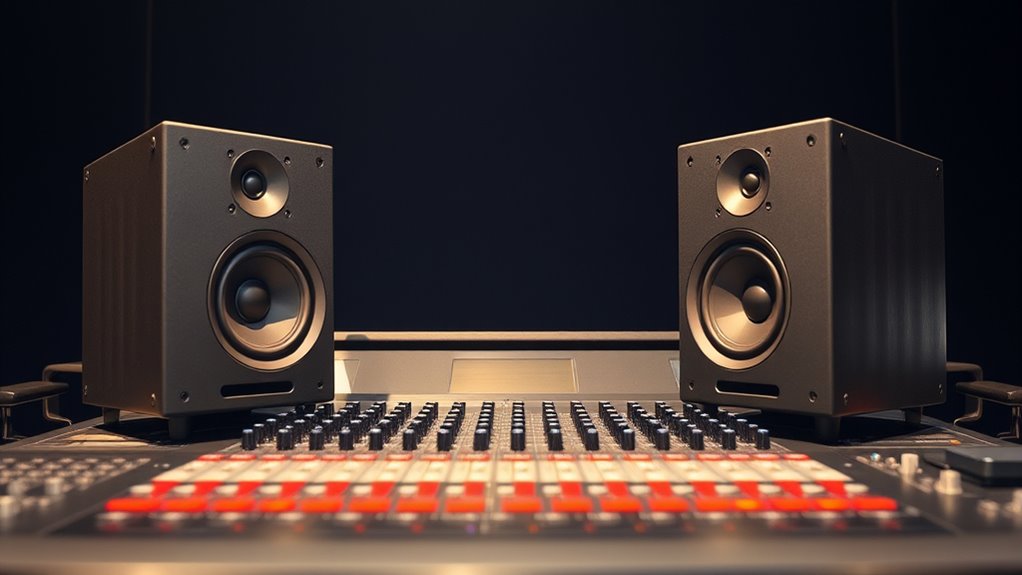
Adding width to your audio signal can enhance its fullness and presence, but doing so often introduces phase issues that can muddy the sound. When you widen a stereo image, you risk disrupting the phase alignment between the left and right channels. This misalignment can lead to cancellations when the signals combine, reducing clarity and impacting the overall signal integrity. To preserve a clean, punchy sound while adding width, you need to understand how phase relationships work and employ techniques that maintain proper phase alignment.
One effective approach is to use stereo widening tools designed with phase coherence in mind. These plugins manipulate the stereo field without compromising the phase relationship between channels. They often utilize mid/side processing, where the mono (mid) signal remains unchanged while the stereo (side) signal is expanded. By doing this, you can increase perceived width without affecting the phase alignment of the core signal, ensuring signal integrity remains intact. When you keep the mid signal static and only expand the sides, you prevent phase discrepancies that could lead to a hollow or hollow-sounding mix.
Use phase-coherent stereo widening tools with mid/side processing to maintain clarity and avoid phase issues.
Another key is subtlety. When you attempt to widen the stereo image, avoid overdoing it. Excessive widening can push the stereo signals out of phase, causing cancellation issues and muddying the mix. Instead, make small, precise adjustments. Use visual aids like phase meters or correlation meters to monitor how the stereo signals relate to each other. If the correlation value drops toward -1, you’re heading into problematic phase territory. Maintaining a positive correlation ensures your signals stay in phase, preserving clarity and signal integrity. Additionally, understanding how phase relationships affect sound quality can help you make more informed decisions during the mixing process.
Consider the placement of your sounds within the stereo field. Panning should be deliberate and balanced, so sounds maintain their natural phase relationships. For example, if you pan a guitar too hard to one side, it can introduce phase discrepancies with other elements. To combat this, record or process your tracks with phase coherence in mind, and if needed, use phase correction tools to realign signals that have drifted out of phase.
Ultimately, the goal is to add width without sacrificing the clarity and punch of your mix. By paying attention to phase alignment and using tools designed for phase-coherent widening, you preserve signal integrity while creating a spacious, immersive sound. Good monitoring and careful adjustments are your best allies in achieving this balance, ensuring your mix remains vibrant, clear, and professional.
Frequently Asked Questions
Can Adding Width Affect System Stability?
Adding width can affect your system stability if you don’t manage frequency carefully. When you expand bandwidth, it may introduce interference, so effective interference mitigation becomes essential. Proper frequency management helps you avoid phase issues and guarantees your system remains stable. By monitoring and adjusting frequencies as needed, you keep your setup reliable while increasing width, preventing potential disruptions and maintaining ideal performance.
What Equipment Is Needed to Add Width Effectively?
You need the right equipment to add width effectively. Start with high-quality antennas, carefully placed to maximize coverage and minimize interference. Use precise cable selection—low-loss coaxial cables ensure signal integrity over longer distances. Proper antenna placement is essential; position antennas with sufficient spacing to prevent phase issues. Combine these elements, and you’ll expand your system’s width seamlessly, maintaining stability without sacrificing signal quality.
How Does Adding Width Impact Signal Quality?
Adding width can improve signal quality through antenna diversity, which reduces the impact of signal dispersion. By using multiple antennas, you create alternative paths for the signal, minimizing phase issues and enhancing overall stability. This setup helps your system maintain a strong, clear connection even in challenging environments. As a result, you’ll experience better data throughput, fewer disruptions, and more reliable performance without compromising signal integrity.
Are There Industry Standards for Adding Width?
Yes, there are industry standards for adding width, especially in frequency planning and interference management. You should follow guidelines set by organizations like the FCC or IEEE, which specify how much bandwidth you can allocate without causing phase issues or interference. By adhering to these standards, you guarantee ideal signal quality and minimize interference risks while expanding your network’s width effectively.
What Are Common Mistakes When Increasing Width?
Like trying to fix a vintage radio, increasing width can cause phase issues if you’re not careful. Common mistakes include neglecting proper antenna alignment, which leads to signal mismatch, and poor cable management, causing interference. Always double-check your antenna placement and keep cables organized to prevent unwanted noise. Avoid rushing; patience ensures your setup maintains phase integrity and delivers ideal, wider soundstage without distortion.
Conclusion
Just like a skilled sailor adjusts their sails without losing balance, you can add width to your audio without phase issues. By following these simple techniques, you guarantee your sound remains clear and punchy, no matter how much you expand it. Don’t let phase problems sink your mix—stabilize it now. With a little care, your audio will stay perfectly in phase, giving you a wider, fuller sound that feels natural and professional.