Selecting the right Windows software for music production depends heavily on whether you prioritize loop-based creativity, traditional recording, or automated accompaniment. FL Studio 20 Signature Bundle stands out as the best overall choice for modern producers who value an intuitive pattern-based workflow and extensive plugin support. For those needing instant backing tracks for songwriting, Band-in-a-Box 2026 Pro offers unmatched automated accompaniment features, while Fender Studio Pro 8 provides a robust environment for traditional multitrack recording and mixing. The main tradeoff lies between ease of use for beginners and the deep editing capabilities required by professional engineers. Continue reading to see how these tools compare in performance, interface design, and value for specific production styles.

Get audio and creator gear delivered free with Prime
- Fast, free delivery on millions of items
- Prime Video, Amazon Music and more included
- Member-only deals all year
Complete the kit


Key Takeaways
- Pattern-based workflows like FL Studio are faster for beat-making, while linear timelines in Fender Studio Pro suit traditional band recording.
- Band-in-a-Box fills a unique niche for songwriters needing instant accompaniment, which standard DAWs cannot replicate without manual arrangement.
- Free options like MixPad Free are limited to basic mixing and lack the virtual instrument depth found in paid bundles like Music Maker 2024.
- Perpetual licenses like Fender Studio Pro Perpetual offer long-term value compared to subscription models, but may miss out on frequent feature updates.
- Windows-specific optimization varies; some legacy titles like MAGIX Music Maker 2016 may have compatibility issues on newer Windows 11 builds compared to 2024 releases.
| Band-in-a-Box 2026 Pro for Windows |  | Best for Songwriting and Arrangement Assistance | Platform: Windows PC | Version: 2026 Pro | Delivery: Download card with printed instructions | VIEW ON AMAZON | See Our Full Breakdown |
| Fender Studio Pro 8 Music Production Software |  | Best for Guitarists and Hybrid Workflows | License: Perpetual | Included subscription: 12 months of Fender Studio Pro+ | Tracks: Unlimited | VIEW ON AMAZON | See Our Full Breakdown |
| Image-Line FL Studio 20 Signature Bundle |  | Best for Electronic Music and Beat Making | Product type: Digital audio workstation software | Edition: Signature Bundle | Delivery: Download card with printed instructions and registration serial code | VIEW ON AMAZON | See Our Full Breakdown |
| MixPad Free Multitrack Recording Studio |  | Best Free Entry-Level Tool | Format: Download | Developer: NCH | VIEW ON AMAZON | See Our Full Breakdown | |
| Music Studio 27 Pro Audio Editing Software |  | Best for DJing and Audio Conversion | Platform: Windows 11 and Windows 10 | Audio editor: Up to 3 tracks | Supported formats: MP3, FLAC, OGG, WAV, AAC, OPUS | VIEW ON AMAZON | See Our Full Breakdown |
| Fender Studio Pro Perpetual License Music Production Software |  | Best for Guitarists & Bassists | License Type: Perpetual | Software Type: Digital Audio Workstation | Track Capacity: Unlimited | VIEW ON AMAZON | See Our Full Breakdown |
| MAGIX Music Maker 2016 Live |  | Best for Live Looping | Virtual Pads: 16 | Loop Functionality: Yes | Supported Controllers: Keyboard, app, MIDI controller | VIEW ON AMAZON | See Our Full Breakdown |
| MixPad Multitrack Recording Software for Sound Mixing and Music Production |  | Best for Simple Podcasting | Product Type: Audio recording and mixing software | Tracks: Unlimited audio, music, and voice tracks | Recording: Single or multiple tracks simultaneously | VIEW ON AMAZON | See Our Full Breakdown |
| MAGIX Music Maker 2024 Premium Music Production Software for Windows 10/11 |  | Best for AI-Assisted Beginners | Platform: Windows 10 and 11 | Processor: 2 GHz | RAM: 2 GB | VIEW ON AMAZON | See Our Full Breakdown |
More Details on Our Top Picks
Band-in-a-Box 2026 Pro for Windows
Band-in-a-Box 2026 Pro stands out because it doesn’t just record audio; it generates complete backing tracks from simple chord charts. This makes it distinct from standard digital audio workstations like Fender Studio Pro 8, which require you to build arrangements from scratch. The software includes realistic instrument sounds and hundreds of styles, allowing solo songwriters to hear their ideas fully realized without needing session musicians. However, this automation comes with a tradeoff: the generated tracks can sometimes feel rigid or less dynamic than human performance. It is strictly Windows-only, unlike FL Studio 20, which offers cross-platform flexibility. If you struggle with arranging or need quick demos for composition, this tool accelerates the creative process significantly. But if you prefer manual control over every note and nuance, you might find the automated nature limiting. It serves as a powerful co-writer rather than a traditional recording studio.
Pros:- Generates full arrangements from simple chord charts instantly
- Includes realistic instrument sounds for piano, guitar, bass, and drums
- Offers hundreds of musical styles for diverse genre experimentation
- Supports MIDI and audio export for further editing in other DAWs
Cons:- Exclusive to Windows PC, limiting Mac users
- Requires online download and card redemption for access
- Auto-generated parts may lack the subtle timing variations of human players
Best for: Solo songwriters and composers who need instant backing tracks to flesh out chord progressions and test musical ideas.
Not ideal for: Producers who require granular control over every MIDI note or audio waveform, as the auto-arranger may override specific artistic nuances.
- Platform:Windows PC
- Version:2026 Pro
- Delivery:Download card with printed instructions
- Music styles:Hundreds, including jazz, rock, pop, and country
- Features:Automatic arrangement generation, instrument sounds, MIDI and audio integration
Our verdict“This is the ideal choice for composers who need a virtual band to bring chord charts to life quickly.”
Fender Studio Pro 8 Music Production Software
Fender Studio Pro 8 differentiates itself by integrating Fender amp models directly into the DAW environment, a feature largely absent in general-purpose tools like MixPad Free. This makes it exceptionally strong for guitarists and bassists who want to record or re-amp instruments without external plugins. The perpetual license model provides long-term value compared to subscription-heavy competitors, though the included Studio Pro+ cloud features expire after 12 months. With unlimited tracks and advanced AI tools for stem separation and chord detection, it handles complex projects better than the three-track limit of Music Studio 27 Pro. The downside is the substantial storage requirement of 40 GB, which demands significant disk space on your windows lapfor music production setup. It also requires internet for activation and cloud integration, which might frustrate users working in offline environments. This software is best for those who want a professional-grade DAW with a strong guitar-centric toolkit.
Pros:- Perpetual license avoids recurring subscription costs for core features
- Built-in Fender amp models and effects save time on guitar recording
- Unlimited tracks support complex, multi-layered compositions
- AI-powered tools for stem separation and chord detection speed up workflow
Cons:- Requires 40 GB of storage and 4 GB RAM, demanding decent hardware specs
- Internet connection is mandatory for installation and some feature integrations
- Studio Pro+ cloud subscription expires after 12 months, requiring renewal for cloud access
Best for: Guitarists and bassists who want built-in Fender amp simulations and unlimited track capacity in a perpetual license package.
Not ideal for: Users with limited hard drive space or those who cannot maintain a consistent internet connection for activation and cloud features.
- License:Perpetual
- Included subscription:12 months of Fender Studio Pro+
- Tracks:Unlimited
- Amp models:Mustang Guitar and Rumble Bass
- Effects:100+ FX pedals and 45+ native effects
- Audio tools:Audio-to-MIDI conversion, chord and tempo detection, stem separation
- Operating systems:macOS, Windows
- Storage:40 GB available space
Our verdict“A robust choice for musicians who need professional recording tools and integrated guitar amps in a one-time purchase package.”
Image-Line FL Studio 20 Signature Bundle
FL Studio 20 Signature Bundle is renowned for its pattern-based workflow, which contrasts sharply with the linear timeline approach of Fender Studio Pro 8. This makes it faster for looping and beat creation, essential for hip-hop and electronic genres. The Signature Bundle includes 28 instruments and 57 effects, offering a deeper sound palette than the basic edition or lighter tools like MixPad Free. A major advantage is the lifetime free updates, ensuring the software remains current without additional cost, unlike some competitors that charge for major version upgrades. However, the download-card delivery means you must have an internet connection to redeem and install the software, which can be a hurdle for immediate use. It is also less intuitive for recording live instruments compared to traditional multi-track recorders. This bundle is best for producers who prioritize speed and creative experimentation in composition over live recording fidelity.
Pros:- Includes 28 instruments and 57 effects for a broad sonic range
- Lifetime free updates protect your investment against software obsolescence
- Pattern-based sequencing is highly efficient for loop-based music creation
- Compatible with both Mac and Windows for flexible studio setups
Cons:- Delivered as a download card, requiring online redemption before use
- Requires a registration serial code, adding a step to the setup process
- Interface can be overwhelming for beginners accustomed to linear timelines
Best for: Electronic music producers and beat makers who value lifetime updates and a pattern-based workflow for rapid composition.
Not ideal for: Engineers primarily focused on recording and mixing live bands, who may find the interface less suited for traditional multi-track editing.
- Product type:Digital audio workstation software
- Edition:Signature Bundle
- Delivery:Download card with printed instructions and registration serial code
- Included instruments:28
- Included effects:57
- Compatibility:Mac and Windows
- License:One license
- Updates:Lifetime free updates
Our verdict“This bundle offers exceptional long-term value and creative speed for producers focused on electronic and loop-based genres.”
MixPad Free Multitrack Recording Studio
MixPad Free serves as an accessible starting point for those who find professional suites like Fender Studio Pro 8 too complex or expensive. It allows users to record and mix audio, voice, and music tracks with basic editing tools. The inclusion of a Beat Maker and MIDI Creator provides just enough functionality to experiment with composition, though it lacks the depth of FL Studio 20. The Effect Chain feature lets you apply multiple effects simultaneously, simplifying the mixing process for beginners. However, the listing provides no specific system requirements, which creates uncertainty about performance on older windows lapfor music production machines. Furthermore, the description does not detail the specific effects or editing tools available, making it hard to judge its capabilities beforehand. It is best viewed as a stepping stone; if you outgrow its limitations, you will likely need to upgrade to a paid, more robust DAW.
Pros:- Free to download and use, removing financial barriers to entry
- Includes basic Beat Maker and MIDI Creator tools for experimentation
- Effect Chain allows applying multiple effects to tracks simultaneously
- Integrates with other NCH multimedia applications for extended utility
Cons:- No specific system requirements are listed, risking compatibility issues
- The available effects and editing tools are not clearly detailed
- Likely lacks the advanced features needed for professional-grade mixing
Best for: Absolute beginners and casual users who want to try multitrack recording without financial commitment or complex setup.
Not ideal for: Serious hobbyists or professionals who need transparent system requirements and a comprehensive set of known mixing tools.
- Format:Download
- Developer:NCH
Our verdict“A low-risk option for testing the waters of music production, though its vague specifications may hinder confident adoption.”
Music Studio 27 Pro Audio Editing Software
Music Studio 27 Pro occupies a unique niche by blending audio editing with DJ-specific features like BPM detection and crossfades, which are absent in standard DAWs like Fender Studio Pro 8. It is designed for users who manage audio files, rip CDs, and create mixes rather than compose original music from scratch. The three-track limit is a significant constraint compared to the unlimited tracks in FL Studio 20, making it unsuitable for complex layering. However, its strong format conversion support (MP3, FLAC, OGG, WAV) and CD ripping with database lookup make it a practical utility for organizing music libraries. It runs strictly on Windows 10 and 11, excluding older systems. This software is best for DJs and audiophiles who need a specialized tool for file management and simple mixing tasks, rather than a full production suite.
Pros:- Includes BPM detection and crossfades tailored for DJ mixing
- Robust CD ripping with database lookup and CD-text tagging support
- Converts between multiple common audio formats like MP3, FLAC, and WAV
- Includes cover design and burning tools for physical media creation
Cons:- Limited to a maximum of three audio tracks for editing
- Restricted to Windows 10 and 11, with no support for older versions or Mac
Best for: DJs and music collectors who need reliable CD ripping, file conversion, and simple crossfade mixing tools on Windows.
Not ideal for: Composers and producers who need to layer more than three tracks or require advanced MIDI sequencing capabilities.
- Platform:Windows 11 and Windows 10
- Audio editor:Up to 3 tracks
- Supported formats:MP3, FLAC, OGG, WAV, AAC, OPUS
- Features:Audio recording, editing, CD ripping, DJ mixing, cover design, file conversion, burning
- Included:Product key card with download link and license key
Our verdict“A specialized utility for DJs and collectors who prioritize file management and simple mixing over complex music production.”
Fender Studio Pro Perpetual License Music Production Software
This DAW stands out for musicians who want perpetual ownership without subscription fees. Unlike MAGIX Music Maker 2024 Premium, which relies on AI generation, Fender Studio Pro focuses on authentic guitar and bass workflows. It includes Mustang and Rumble amp models, making it ideal for recording amplified instruments directly. The unlimited track capacity allows for complex arrangements, but the interface may feel dense for beginners. Compared to Band-in-a-Box 2026 Pro, it offers deeper control over audio editing but lacks automated accompaniment features. If you prioritize tone shaping over loop-based composition, this is a strong choice.
Pros:- Perpetual license eliminates recurring subscription costs
- Includes authentic Fender amp simulations and effects
- Unlimited tracks support complex multi-instrument projects
- Audio-to-MIDI tools help convert recordings to editable notes
Cons:- Steeper learning curve for users unfamiliar with DAWs
- Requires a desktop computer for full functionality
- Interface may feel overwhelming for simple recording tasks
Best for: Guitarists and bassists who record live instruments and prefer owning their software outright.
Not ideal for: Electronic producers or beginners who need AI-assisted songwriting or loop-based workflows.
- License Type:Perpetual
- Software Type:Digital Audio Workstation
- Track Capacity:Unlimited
- Included Amp Models:Mustang Guitar and Rumble Bass
- Included Effects:45+ native effects and 100+ FX pedals
- Creative Tools:Audio-to-MIDI, stem separation, Chord Assistant
- Video Features:Timeline playback and synchronization
- Live Performance:Show Page with backing tracks
- Mobile Integration:Fender Studio mobile app
Our verdict“This is the definitive choice for guitar-centric musicians who want professional tone tools without ongoing fees.”
MAGIX Music Maker 2016 Live
This version is tailored for performers who want to trigger loops live using 16 virtual pads. While MAGIX Music Maker 2024 Premium offers more advanced mixing tools, this 2016 Live edition prioritizes immediacy and performance. It allows users to combine premade sounds with personal recordings, creating hybrid sets on the fly. The Wi-Fi control via the remote app is a unique advantage over desktop-only options like Fender Studio Pro. However, the older interface may lack modern polish. Choose this if your primary goal is stage performance rather than detailed studio mixing.
Pros:- 16 loop-enabled virtual pads facilitate live performance
- Wi-Fi remote control allows for mobile stage management
- Combines premade loops with user recordings easily
- Lightweight footprint suitable for older hardware
Cons:- Requires internet connection for validation and features
- Lacks advanced mixing and mastering tools
- Older software version may have compatibility issues
Best for: Electronic performers and DJs who want to trigger and mix loops live using a pad controller.
Not ideal for: Producers who need advanced mixing plugins, VST support, or detailed audio editing.
- Virtual Pads:16
- Loop Functionality:Yes
- Supported Controllers:Keyboard, app, MIDI controller
- Remote App:MAGIX Audio Remote
- Remote Connection:Wi-Fi
- Included Sound Genres:Hip Hop, 80s, Techno, Rock Pop, Chill out, Deep House
- Internet Connection:Required for registration and validation
- Registration:One-time
Our verdict“This is the perfect tool for performers who want to build songs in real-time on stage.”
MixPad Multitrack Recording Software for Sound Mixing and Music Production
MixPad is designed for straightforward audio recording and mixing without the complexity of full DAWs. It supports unlimited tracks and simultaneous recording, making it useful for interviews or band rehearsals. Compared to Music Studio 27 Pro, it offers a more focused interface for basic editing tasks. The ability to export at 32-bit floating point ensures high-quality results for voice content. However, it lacks the instrument libraries and MIDI capabilities found in FL Studio 20. This is a practical choice for users who need to record and mix audio quickly without learning complex production techniques.
Pros:- Unlimited tracks allow for extensive audio layering
- Simultaneous recording supports multi-mic setups
- High-quality export options up to 32-bit floating point
- Simple interface reduces the learning curve for beginners
Cons:- Limited or unspecified editing and mixing tools
- No mention of virtual instruments or MIDI support
- Operating system compatibility is not explicitly stated
Best for: Podcasters and voice-over artists who need simple multitrack recording and mixing.
Not ideal for: Musicians who need virtual instruments, MIDI sequencing, or advanced audio effects.
- Product Type:Audio recording and mixing software
- Tracks:Unlimited audio, music, and voice tracks
- Recording:Single or multiple tracks simultaneously
- Supported Sample Rates:6 kHz to 96 kHz
- Export Bit Depth:Up to 32-bit floating point
- Audio Formats:WAV and high-compression formats
- Delivery:Digital download
Our verdict“This is a reliable, no-frills solution for recording and mixing voice or simple audio projects.”
MAGIX Music Maker 2024 Premium Music Production Software for Windows 10/11
This software lowers the barrier to entry with Song Maker AI, which generates arranged tracks from simple prompts. Unlike Fender Studio Pro, which requires manual instrument recording, this tool helps users create full songs instantly. It includes Native Instruments Hybrid Keys and iZotope Ozone Elements, providing professional-grade sounds and mastering tools out of the box. The MIDI multi-object editing offers more flexibility than the loop-based MAGIX Music Maker 2016 Live. However, the requirement for Windows 10 or 11 and constant internet connectivity for activation may hinder some workflows. This is ideal for novices who want to explore music production without a steep learning curve.
Pros:- Song Maker AI generates full arrangements from prompts
- Includes high-value plugins like Ozone Elements and Hybrid Keys
- MIDI multi-object editing simplifies complex adjustments
- VST and 64-bit support ensure modern compatibility
Cons:- Requires internet for account creation and activation
- Limited to Windows 10 and 11 operating systems
- AI features may limit creative control for advanced users
Best for: Beginners who want to create songs quickly using AI assistance and pre-made sounds.
Not ideal for: Advanced producers who prefer manual control over every aspect of their arrangement.
- Platform:Windows 10 and 11
- Processor:2 GHz
- RAM:2 GB
- Graphics:Onboard graphics; minimum resolution 1280 × 768
- Installation Space:2 GB
- Internet Connection:Required for account creation and activation
- Included Software:Song Maker AI, Native Instruments Hybrid Keys, iZotope Ozone Elements
- Audio Support:VST, 64-bit, multicore
- Sound Content:3 Soundpool/Soundpool Complete Bundles
Our verdict“This is the most accessible entry point for new producers who want to create music immediately with AI help.”
How We Picked
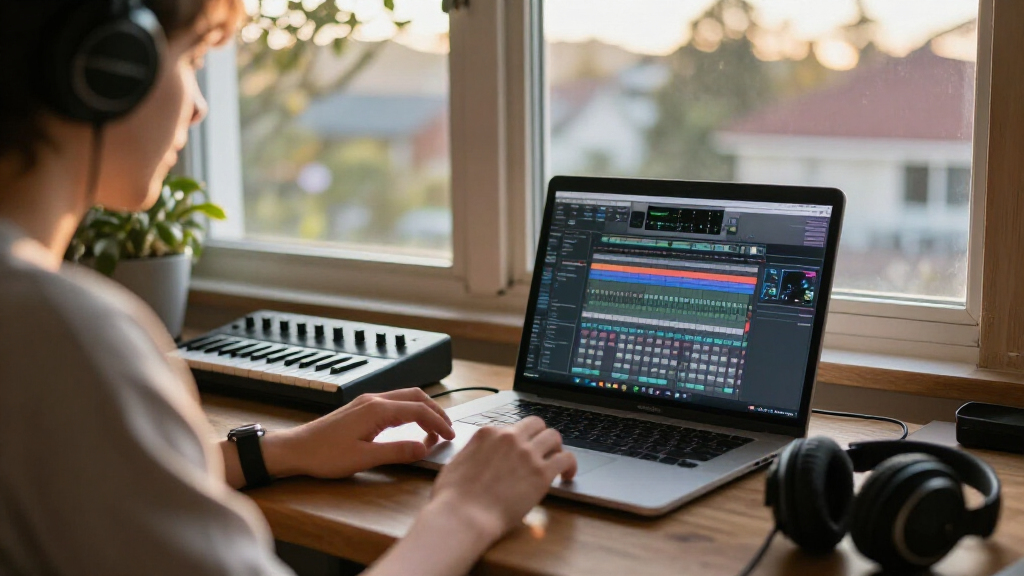
My evaluation focused on three core pillars relevant to a Windows-based producer: workflow efficiency, feature depth, and system compatibility. I prioritized software that runs natively on Windows 10 and 11, ensuring stability for daily use. I compared how each program handles audio recording versus MIDI sequencing, as this distinction dictates which genre of music you can produce most effectively. Products were ranked higher if they offered a clear path from beginner to intermediate skills without requiring immediate plugin purchases.
I also considered the balance between built-in content and external expandability. A DAW with thousands of loops is useless if the interface is cluttered, while a minimalist interface is frustrating if it lacks essential tools. I gave preference to options with strong community support and clear documentation, as these factors significantly reduce the learning curve. This ranking reflects a blend of creative flexibility and practical usability for the average home studio user.
Factors to Consider When Choosing Windows Lapfor Music Production
Choosing music software is not just about feature lists; it is about matching the tool to your creative process. Here are the key factors that should drive your decision.Workflow Style: Linear vs. Pattern-Based
Most modern DAWs on Windows fall into two categories: linear timeline editors and pattern-based sequencers. FL Studio uses a pattern-based approach where you build loops and arrange them, which is ideal for electronic, hip-hop, and pop production. In contrast, Fender Studio Pro uses a linear timeline similar to Pro Tools, making it better suited for recording live bands, orchestral scores, or songs with complex structural changes. If you find yourself constantly cutting and pasting clips in a loop-based DAW, a linear editor might feel more intuitive. Conversely, if you struggle with arranging linear tracks, a pattern-based system can speed up your creative output. Assess how you naturally compose before committing to a specific interface logic.
The Value of Built-In Instruments vs. Plugins
Some software, like MAGIX Music Maker, relies heavily on pre-made loops and virtual instruments to get you started quickly. This is excellent for beginners who want to make music immediately but can feel restrictive for advanced users who want to design sounds from scratch. Other options, like Band-in-a-Box, focus on generating accompaniment rather than synthesis. If you plan to use third-party VSTs, check if the software supports VST3 or AU formats. FL Studio and Fender Studio Pro have robust plugin ecosystems, whereas some lighter, free tools like MixPad may have limited plugin hosting capabilities. Decide if you want a closed ecosystem that works out of the box or an open platform that requires building your own toolkit.
System Requirements and Windows Compatibility
Not all music software is optimized for the latest Windows updates. Older titles or those not updated recently may encounter driver conflicts with modern Windows 11 audio subsystems. Always check the developer’s website for explicit Windows 11 compatibility statements. Fender Studio Pro and FL Studio are regularly updated to support new OS versions and hardware drivers. In contrast, older versions like MAGIX Music Maker 2016 might require compatibility modes or lack support for newer audio interfaces. If you are using a high-end audio interface, ensure the DAW supports ASIO drivers natively to minimize latency. A smooth driver experience is more valuable than a slightly larger loop library.
Learning Curve and Community Resources
The best software is the one you can actually learn. FL Studio has a massive library of free tutorials and a large community, which makes troubleshooting easier. Band-in-a-Box is simpler to learn because it automates many complex tasks, but it may not teach you fundamental audio engineering skills. MixPad is very basic, so while it is easy to start, you will hit a ceiling quickly if you want to learn mixing or sound design. Look for software that offers a balance of intuitive design and depth. If you are investing time into learning a DAW, choose one with a career path or transferable skills, such as standard EQ and compression workflows, rather than a tool that hides these processes behind automation.
Licensing Models: Perpetual vs. Subscription
Most of the options here are perpetual licenses, meaning you buy the software once and keep it. However, some newer features or cloud-based integrations may require a subscription or account. Fender Studio Pro offers a perpetual license, which is great for budget-conscious users who do not want recurring costs. FL Studio also offers a perpetual license with free lifetime updates, which is a significant long-term value proposition. Be wary of software that seems cheap but locks essential features behind a subscription or requires constant internet connection. For a home studio, owning your tools outright provides stability and control over your production environment.
Frequently Asked Questions
Can I use FL Studio and Fender Studio Pro on the same computer?
Yes, you can install and run both FL Studio and Fender Studio Pro on the same Windows machine without issues. They operate independently and can coexist as long as you have sufficient disk space and RAM. Many producers use FL Studio for beat creation and then export MIDI or audio stems into Fender Studio Pro for mixing and mastering. Just be mindful of audio driver conflicts if you try to run both simultaneously with the same audio interface; it is usually better to close one before opening the other to avoid latency spikes or device occupation errors.
Is Band-in-a-Box suitable for creating original electronic music?
Band-in-a-Box is primarily designed for acoustic instruments, jazz, folk, and traditional pop genres. While it can generate MIDI data that you can export to a DAW like FL Studio for further processing, it is not built for electronic music production. It lacks the synthesizers, drum machines, and sound design tools needed for genres like EDM, Trap, or Dubstep. If your goal is electronic music, Band-in-a-Box might serve as a source for chord progressions or live-sounding instrument ideas, but it should not be your primary production tool.
What is the main difference between MixPad Free and the paid version?
The free version of MixPad allows for basic multitrack recording and mixing but often includes watermarks on exported audio or limits the number of tracks and effects you can use. The paid version removes these restrictions and provides access to higher-quality audio export formats and additional plugins. If you are serious about releasing music, the limitations of the free version will become a bottleneck quickly. For hobbyists who just want to record demos or practice mixing, the free version is a good starting point, but professionals will need the paid tier for clean, unlimited exports.
Do I need a powerful computer for these music production programs?
Most of the software listed, such as MAGIX Music Maker and MixPad, are relatively lightweight and run well on mid-range Windows laptops. However, FL Studio and Fender Studio Pro can become resource-intensive when you load many virtual instruments or audio tracks. A computer with at least 16GB of RAM and a multi-core processor is recommended for a smooth experience. If you plan to use heavy synthesizers or large sample libraries, investing in a faster CPU and SSD storage will prevent audio dropouts and reduce rendering times significantly.
Which software is best for beginners with no musical background?
MAGIX Music Maker is often the best choice for absolute beginners because it uses a loop-based interface that lets you drag and drop sounds to create songs without knowing music theory. Band-in-a-Box is also excellent if you have some lyrical ideas but struggle with arrangement, as it generates backing tracks automatically. FL Studio has a steeper initial learning curve but offers more long-term creative freedom. If you want to make music today with zero technical knowledge, start with MAGIX; if you want to learn how music is built, FL Studio is a better educational investment.
Conclusion
Choosing the right Windows software for music production comes down to your specific creative goals and technical comfort level. For the best overall balance of power, community support, and flexibility, FL Studio 20 Signature Bundle is my top recommendation for most producers. If you are a songwriter who needs instant accompaniment and struggles with arrangement, Band-in-a-Box 2026 Pro offers a unique workflow that other DAWs cannot match. For those who prefer a traditional recording environment similar to industry-standard studios, Fender Studio Pro 8 provides a robust linear timeline and professional mixing tools. Beginners on a tight budget should look at MAGIX Music Maker 2024 Premium for its ease of use and included content, while MixPad Free serves as a low-risk entry point for those just testing the waters. Match the tool to your workflow, not just the feature list, to avoid frustration and keep your creativity flowing.