

Effective sample library tagging and search help you stay organized and find sounds fast. By adding detailed metadata like tags, descriptions, and keywords, you make your collection easy to navigate. Using a clean interface with filters, auto-complete, and preset tags guarantees quick access during your creative process. Consistent tagging and thoughtful organization save time and boost inspiration. Keep optimizing your system, and you’ll discover even more ways to streamline your workflow.
Key Takeaways
- Implement consistent metadata standards, including tags for genre, instrument, key, and mood, to enhance search relevance.
- Design an intuitive interface with quick tagging options during import and editing for seamless organization.
- Incorporate advanced filtering, auto-complete, and preset tags to streamline sample search and reduce errors.
- Prompt users to add detailed tags when importing samples, ensuring a well-structured and searchable library over time.
- Use metadata and UI features together to enable fast retrieval, improve workflow, and turn collections into inspiring resources.
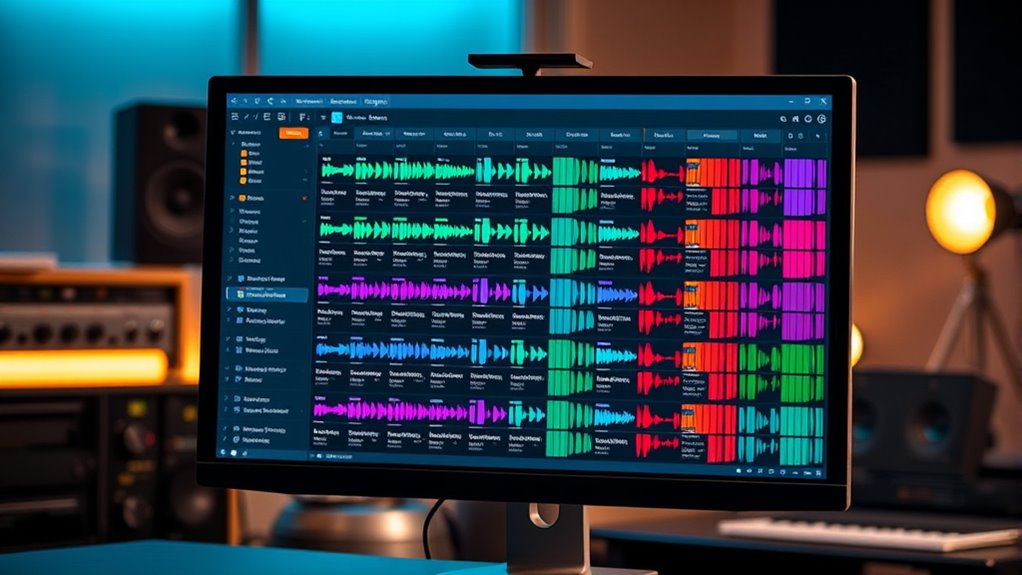
Have you ever struggled to find the right sample in a crowded library? It’s frustrating sifting through shelves of files, trying to remember which folder holds that one perfect sound or loop. That’s where effective sample library tagging and search come into play. When you manage your samples well, it’s like giving your collection a smart, organized label system that makes retrieval quick and effortless. Central to this is good metadata management—adding detailed tags, descriptions, and keywords to each sample so they’re instantly recognizable. Proper metadata acts as your digital librarian, guiding you straight to what you need without wasting time.
But managing metadata isn’t just about adding labels—it’s about designing a user interface that makes this process intuitive. When the interface is clean, responsive, and thoughtfully arranged, you find yourself orienting yourself within your library with ease. You want a UI that allows you to quickly tag samples during import, edit tags on the fly, or filter your collection with a few clicks. The search bar should be prominent and capable of interpreting your keywords, whether you’re searching by genre, instrument, tempo, or mood. When the user interface design aligns with your workflow, it transforms a tedious task into a seamless experience.
Good metadata management also involves consistency. You should establish a tagging system that makes sense for your style of work. For instance, always use the same terms for similar sounds or categorize samples by key and tempo. This consistency ensures your search results stay relevant, and you won’t waste time guessing which tags to use. Your interface should support this consistency by offering dropdown menus, auto-complete suggestions, or preset tags, reducing errors and speeding up the process. The more logical and user-friendly your UI design, the more likely you are to keep your metadata thorough and up-to-date.
Furthermore, a well-designed user interface encourages you to maintain your library. When adding new samples, you’re prompted to tag them correctly, and the system guides you through the process naturally. Over time, your collection becomes more structured, making future searches even faster. When search functions are optimized—such as allowing advanced filters or previewing results instantly—you gain confidence that you’ll always find the right sample when inspiration strikes. Additionally, understanding the importance of metadata consistency can greatly enhance your library’s efficiency and searchability. In essence, combining smart metadata management with thoughtful user interface design transforms your sample library from a cluttered mess into an efficient, inspiring resource. It saves you time, enhances your creativity, and ensures that every sample counts.
Frequently Asked Questions
How Can I Improve Search Accuracy in Large Sample Libraries?
To improve search accuracy in large sample libraries, focus on maintaining metadata consistency and implementing tag normalization. Make certain your tags follow standardized formats and naming conventions to reduce confusion. Regularly review and update your metadata to keep it accurate and relevant. This way, your search becomes more precise, making it easier to locate samples quickly and efficiently. Consistent, normalized tags are key to a more effective search process.
What Are the Best Practices for Consistent Tagging Across Users?
To guarantee consistent tagging across users, you should establish clear tagging standards that everyone follows. Provide thorough user training to explain these standards and demonstrate proper tagging techniques. Encourage regular updates and reviews of tags to maintain consistency. Using standardized terminology and controlled vocabularies helps prevent discrepancies. By fostering open communication and offering ongoing support, you’ll assure your team applies tags uniformly, improving search accuracy and library organization.
How Does Tagging Impact Sample Library Scalability?
Think of your sample library as a garden; proper tagging is like planting labels, helping you find what you need quickly. Efficient tagging boosts library organization and guarantees scalability as your collection grows. When you tag consistently, you prevent chaos and save time, making it easier to locate samples. Without it, your library risks becoming an overgrown jungle, slowing down your workflow and limiting future growth.
Can Tags Be Customized for Different Music Genres?
Yes, you can customize tags for different music genres. This allows you to apply genre-specific tags, enhancing tag flexibility and making it easier to find samples tailored to each style. By customizing tags, you streamline your workflow and improve genre customization, ensuring your sample library adapts to your creative needs. This flexibility helps you organize your samples more effectively, saving time and boosting your music production efficiency.
What Tools Assist in Automating Sample Tagging and Searching?
Did you know that over 70% of music producers now use AI tools for sample management? Machine learning tools like Serato’s Pitch ‘n Time or Mixed In Key automate sample tagging and searching through metadata extraction. These tools analyze audio features to categorize samples quickly, saving you time and improving search accuracy. By automating metadata extraction, you can effortlessly find the perfect sounds, boosting your workflow and creative process.
Conclusion
By mastering the art of tagging and search, you gently guide your library’s treasures into clearer focus, making the journey through your collection feel like a peaceful stroll through a well-tended garden. With each thoughtful tag, you create a subtle pathway, inviting you to discover hidden gems effortlessly. Ultimately, your organized library transforms into a serene sanctuary, where finding what you seek becomes as natural as the breeze—smooth, simple, and quietly satisfying.